Plan the week around real life
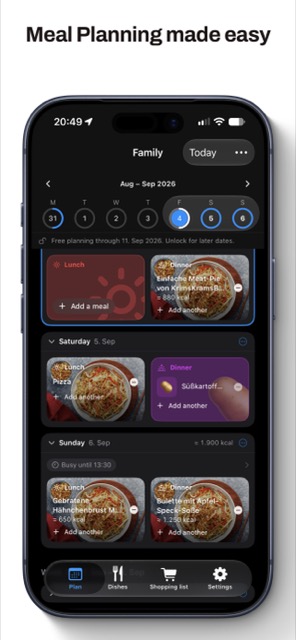
Put dinner, leftovers, and eating out on a calendar that reflects the way your household actually cooks. Regular meals can fill future weeks automatically, while any single week can still be changed without breaking the routine.
- Weekly calendar with eating out
- Regular meal routines
- Offline-first planning
Bring recipes in from wherever they live
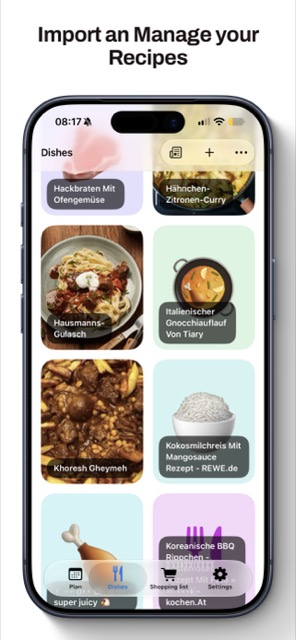
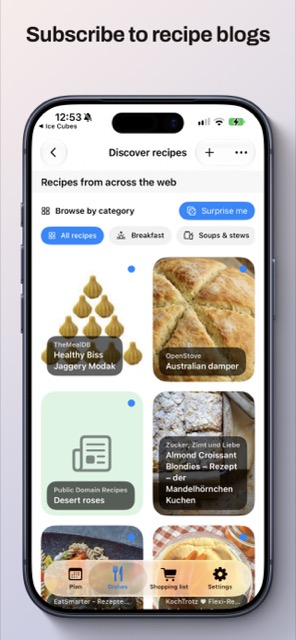
Import recipe text from photos, screenshots, PDFs, or a live camera scan, then review and edit it before saving. You can also open a real recipe page in the app, import its details, subscribe to recipe sites, or bring over a Paprika archive.
- Photo, screenshot, PDF, and camera import
- Web-page import and recipe discovery
- Editable review before saving
A recipe library you can actually use
Search, browse, and filter your saved dishes, keep source links close, and discover new recipes from built-in and subscribed sources. Recipes can be translated on-device without replacing the original wording.
- Searchable recipe library
- Categories and subscribed sources
- On-device translation
Turn the plan into a shopping list
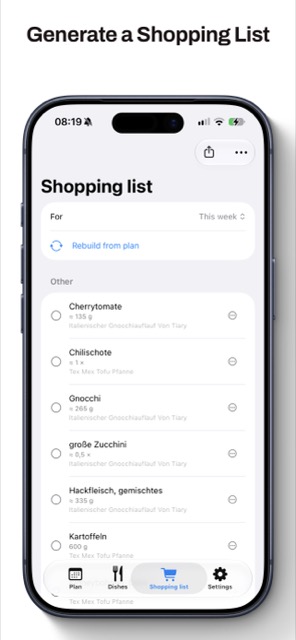
Meals uses the recipes you planned and the staples you need to make a shopping list that is ready to take with you. Ingredients can be grouped, portions tracked, and the list can stay in step with Bring! when your household uses it.
- Lists from planned meals
- Pantry staples and ingredient grouping
- Bring! two-way sync
See portions and nutrition in context
Scale recipes to the number of people you are feeding and see estimated calories and macros per serving when the ingredient data supports it. The app keeps the estimate honest: it is a guide, not a nutrition label.
- Serving scaler
- Calories and macro estimates
- Day and week nutrition summaries
Cook with less friction
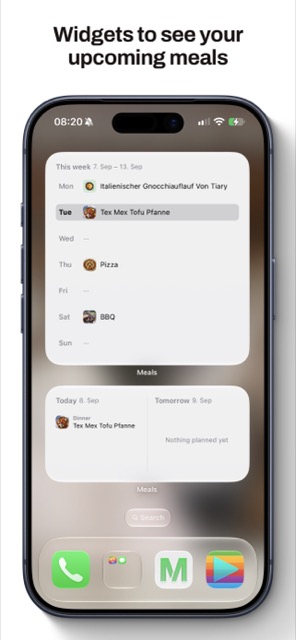
Cooking Mode keeps ingredients and instructions close, speaks steps aloud, listens for commands such as next, repeat, and start timer, and keeps a session ready to resume. Apple Watch can show the plan and shopping list, while widgets surface meals and timers without opening the app.
- Spoken steps and voice control
- Cooking timers and Live Activity
- Apple Watch plan and shopping list
Made for the Apple ecosystem
Share a household through iCloud, publish the plan into a calendar, send shopping lists to supported services, print a plan, and use widgets, App Intents, Shortcuts, Spotlight, and the recipe share extension to reach the app from where you already work.
- iCloud household sharing
- Calendar publishing and printing
- Widgets, Shortcuts, Spotlight, and Share Extension